Who Doesn’t Follow You Back on Instagram? How to Find Out Without Sketchy Apps
Find out who doesn't follow you back on Instagram using your own data export. No third-party apps, no risk to your account.
February 11, 2026 · 3 min read
There’s a question every Instagram user asks eventually: who am I following that isn’t following me back?
The internet’s answer is always the same. Download this app. Log in with your Instagram credentials. Let it scan your account.
Don’t do that. Those apps are a security problem, and there’s a safer method built right into Instagram that almost nobody uses.
Why third-party “unfollow tracker” apps are risky
When you log into one of these apps with your Instagram credentials, you’re giving your username and password to a company you’ve never heard of, running code you can’t inspect, on servers you know nothing about. Some of these apps request full OAuth access, which means they can read your DMs, view your private posts, and take actions on your behalf.
This isn’t theoretical. Instagram actively bans accounts that use unauthorized third-party services. Their Terms of Use spell it out: share your login credentials with a third-party app and you’re violating the rules. Suspensions range from temporary locks to permanent bans.
Even the apps that don’t outright steal your password are still harvesting your follower data and selling it to marketers. If the app is free and you didn’t pay for it, you’re the product.
The most common risks
- Account suspension. Instagram detects API abuse from unauthorized apps and can temporarily or permanently ban your account.
- Credential theft. Some apps store your password in plain text or reuse it to access your account later.
- Data harvesting. Your follower list, engagement data, and activity patterns get packaged and sold to marketers.
- Phishing. Fake “follower tracker” apps trick you into entering credentials on lookalike login pages that look identical to Instagram’s.
Instagram’s built-in data export
Here’s the part most people don’t know about: Instagram has a feature called “Download Your Information” that lets you export your complete account data, including your full follower and following lists.
How to get it:
- Open Instagram and go to Settings → Accounts Center → Your information and permissions → Download your information
- Select Some of your information and choose Followers and Following
- Pick your format (HTML or JSON, both work) and request the download
- Instagram emails you a link to a ZIP file, usually within a few minutes
This is first-party data straight from Instagram. No third-party apps. No OAuth tokens. No risk to your account.
The catch: Instagram gives you raw data files. A list of usernames you follow, and a list of usernames who follow you. Comparing them manually to find the non-mutual follows would take hours if you follow more than a few hundred people.
What to do with the results
Finding out who doesn’t follow you back isn’t about mass-unfollowing everyone. It’s about making better decisions about your feed.
Curate what you see. Unfollow accounts that add noise without value: old acquaintances, brands you forgot about, accounts that haven’t posted in a year. Keep the ones you genuinely enjoy, even if they don’t follow back. A tighter following list means a better feed algorithm working in your favor.
Clean up your ratio. A lopsided follower/following ratio signals to other users that your content might not be worth following for. Trimming your following list can change how your profile looks to potential followers. That said, don’t obsess over the number. Focus on genuine connections.
Spot the surprises. Sometimes you’ll find people you were sure were mutual follows but aren’t. Or accounts that unfollowed you after you followed back. It’s useful information for making intentional decisions instead of operating on assumptions.
How to analyze your data without the risk
So you’ve got the ZIP file from Instagram. Now you need to compare those two lists without uploading your data to yet another server.
The Instagram Follower Analyzer does exactly this. Upload your Instagram data export ZIP, and the tool parses your followers and following lists to show exactly who doesn’t follow you back.
The important part: everything runs in your browser. Your data never leaves your device. No uploads, no servers, no accounts required.
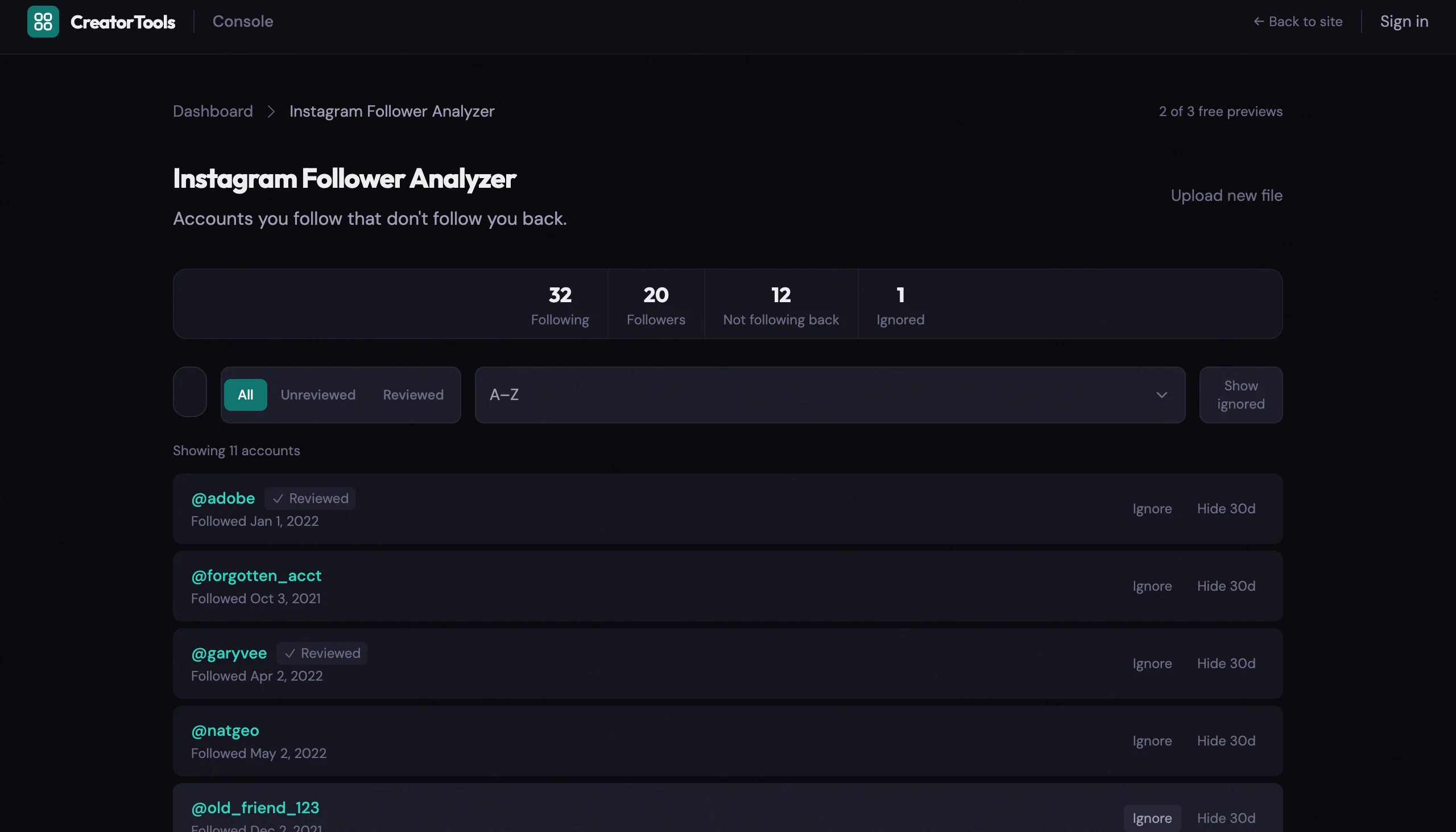
What you get:
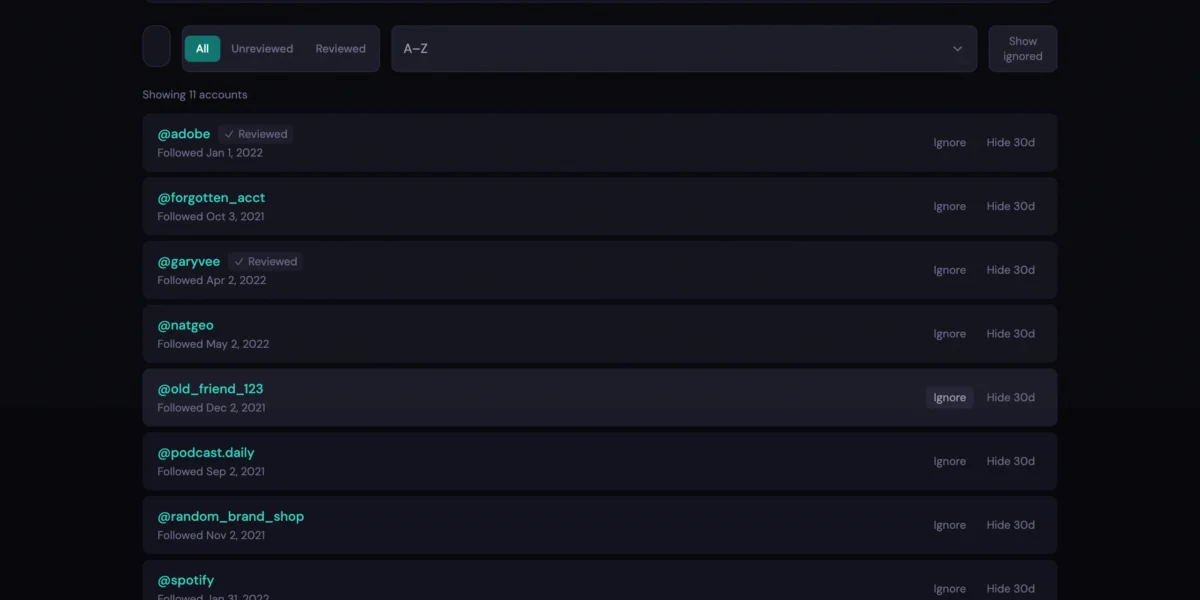
- Instant ZIP parsing. Drop your file and get results in seconds. Works with both HTML and JSON export formats.
- Stats at a glance. Following, Followers, and Not Following Back counts displayed in a clear stats bar.
- Search and filter. Search by username, filter by review status (All / Unreviewed / Reviewed), sort alphabetically or by follow date.
- Track your progress. Mark accounts as Reviewed, Ignored (for brands or celebrities you don’t expect to follow back), or Hidden for 30 days.
- Clickable profiles. Each username links directly to their Instagram profile so you can make decisions in context.
Your review progress saves automatically in your browser. Close the tab and pick up where you left off later.

No account required. No install.
Try the Instagram Follower Analyzer →
Skip the sketchy apps. Your own data export plus a browser-based tool that never touches a server is all you need. Download, drop, decide.