Your Page Probably Has 5 SEO Problems You Haven’t Checked Yet
Most SEO advice stops at title tags and meta descriptions. A full on-page audit covers 27 checks you probably haven't run.
April 7, 2026 · 3 min read
You published the post. You added a title tag. You wrote a meta description. The page is indexed.
And somewhere in Google Search Console, it’s sitting at position 23 with a 0.4% click-through rate, and you have no idea why.
The problem usually isn’t the content. It’s the stuff nobody told you to check.
On-Page SEO Is More Than Title Tags
Most SEO advice starts and ends at “write a good title tag and meta description.” That’s like being told to “clean your room” and only making the bed.
The actual checklist is longer. Your URL slug might have stop words dragging it down. Your Open Graph image could be missing, which means every social share shows a blank card. You might have two H1s on the page. The canonical tag might be pointing to the wrong URL. Your title tag might be 78 characters, which gets truncated in search results.
None of these individually kills a page. But five of them at once? That adds up fast.
What Breaks When You Skip the Audit
Missing OG tags don’t hurt your Google ranking directly. But when someone shares your article on LinkedIn and it shows up as a plain text link with no image, fewer people click. Less traffic. Fewer backlinks. Over time, that signals lower quality to Google anyway.
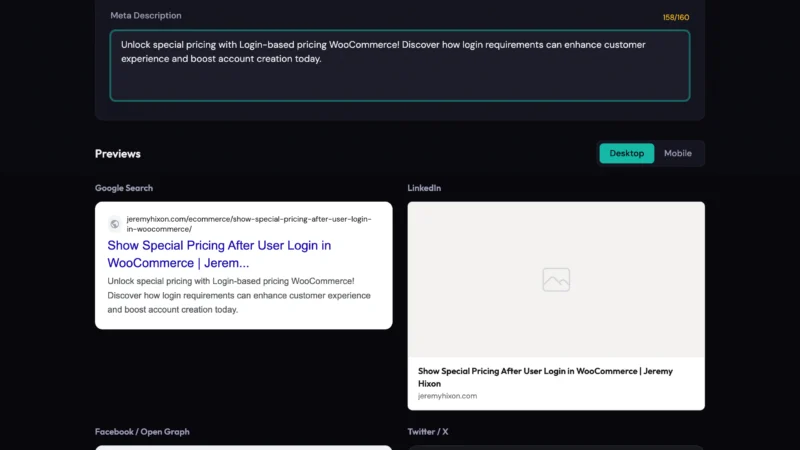
A missing meta description means Google writes one for you. Sometimes it picks a reasonable snippet. Often it pulls from somewhere weird, like your nav menu text or a disclaimer at the bottom of the page.
Duplicate H1 tags are more common than you’d think on WordPress sites, especially with themes that automatically wrap the page title in an H1 and then you add another one in the content editor.
And then there’s the URL itself. A slug like `/blog/2024/03/15/how-to-do-seo-for-your-website-and-get-more-traffic-from-google/` has problems: it’s too long, it has stop words, and the date structure buries it further from the domain root.
Why This Is Harder to Spot Than It Should Be
Here’s the frustrating part: these issues don’t break your site. The page loads. Google crawls it. You can see it in search results. Everything looks fine.
You’d need to manually view source, open a browser inspector, cross-reference your og:tags, count your heading levels, check your canonical URL, and verify your robots meta isn’t accidentally set to “noindex” (I’ve seen that one more times than I’d like to admit).
Most people don’t do that. They publish and move on.
And the tools that do check these things are either locked behind expensive SaaS subscriptions, require a browser extension you don’t want to install, or are built for full site crawls, not a quick spot-check on a single URL.
What a Good On-Page Audit Actually Covers
When you’re reviewing a page manually, here’s what’s worth checking:
- URL slug: Short, keyword-focused, no stop words, no dates if you can avoid it
- Title tag: 50-60 characters, primary keyword near the front, not duplicated from H1 word-for-word
- Meta description: Present, 120-155 characters, written to earn the click, not just repeat the title
- Canonical URL: Set, correct, matches the page you actually want indexed
- H1: One. Exactly one.
- Heading hierarchy: H2s under H1, H3s under H2s. Don’t skip levels for styling reasons
- Open Graph tags: og:title, og:description, og:image, og:type all present with real values
- Twitter Card tags: Separate from OG, needs twitter:card at minimum
- Robots meta: Should be “index, follow” unless you specifically want otherwise
- Image alt text: Not “IMG_3847.jpg.” Descriptive, keyword-relevant where it makes sense
- Word count: Not a magic number, but 300 words is usually a floor for Google to consider a page meaningful
- Internal links: At least a couple. Orphan pages rank worse and pass no equity elsewhere on your site
That’s a real checklist. Not every item matters equally for every page, but you should know the state of each one.
The SEO URL Analyzer
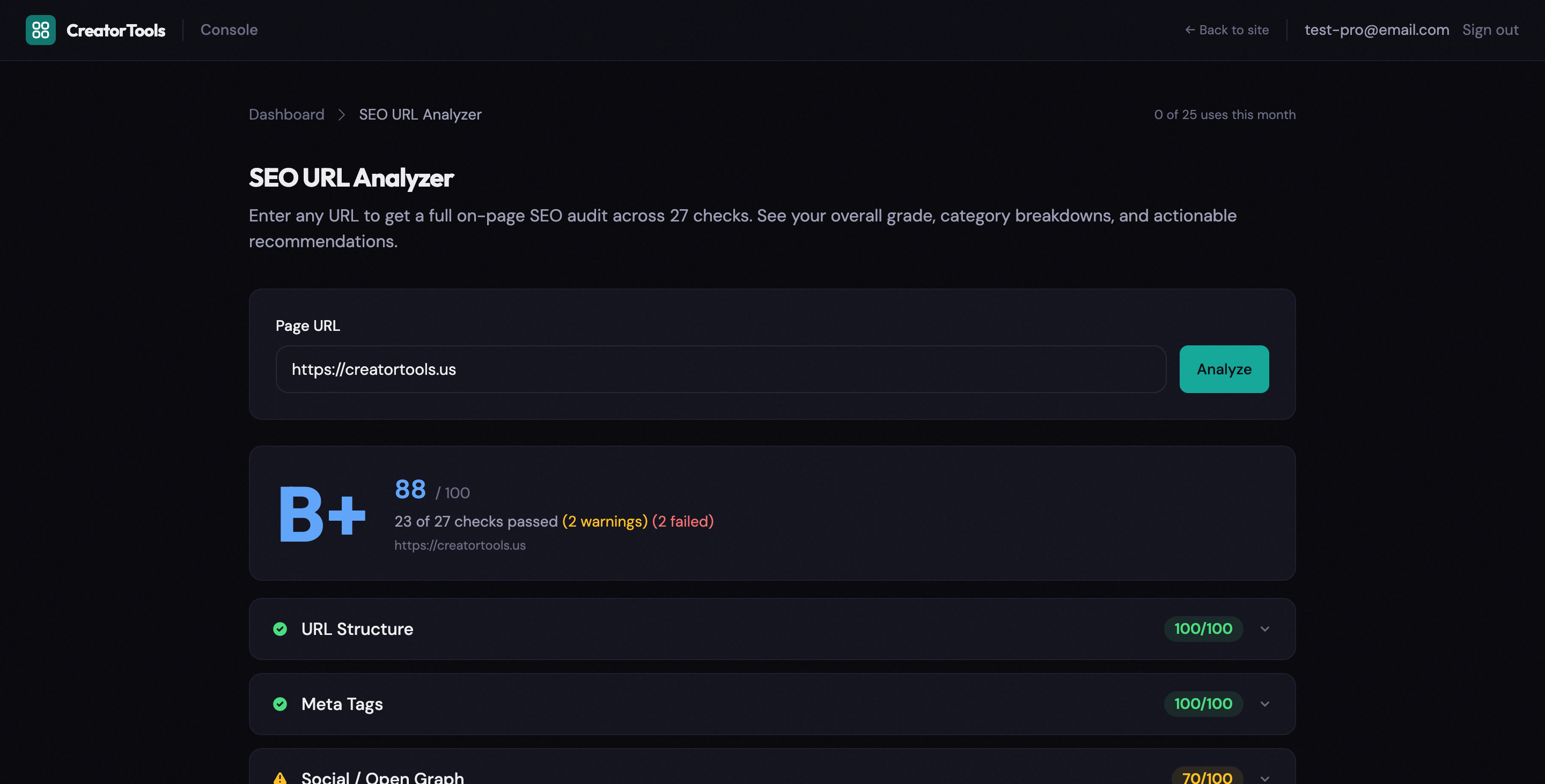
We built a tool that runs that full audit in about three seconds.
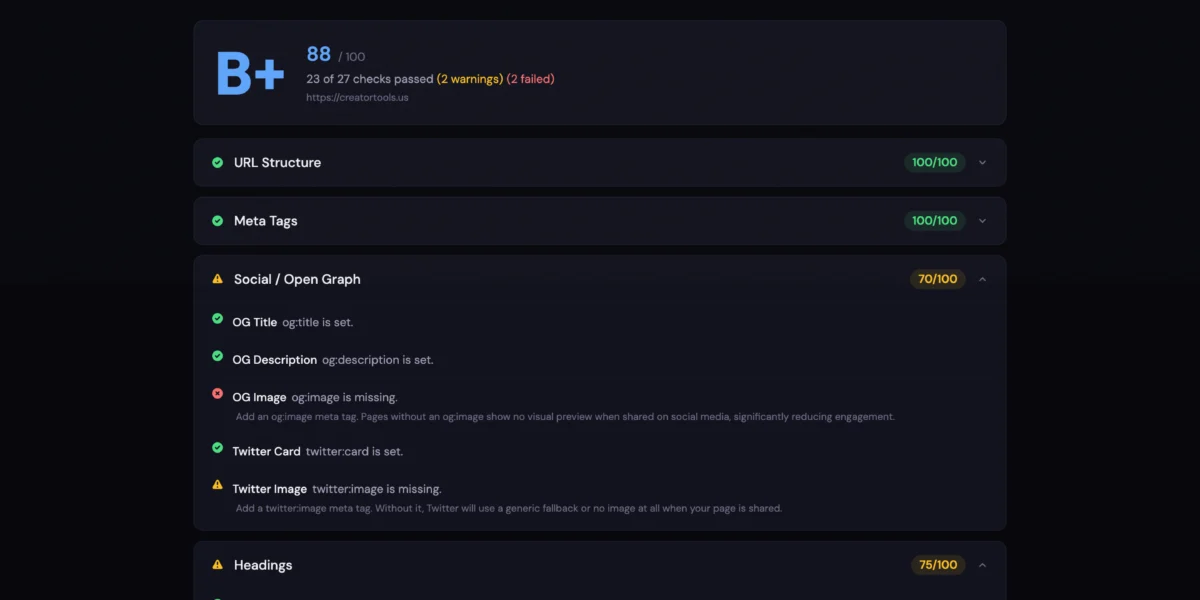
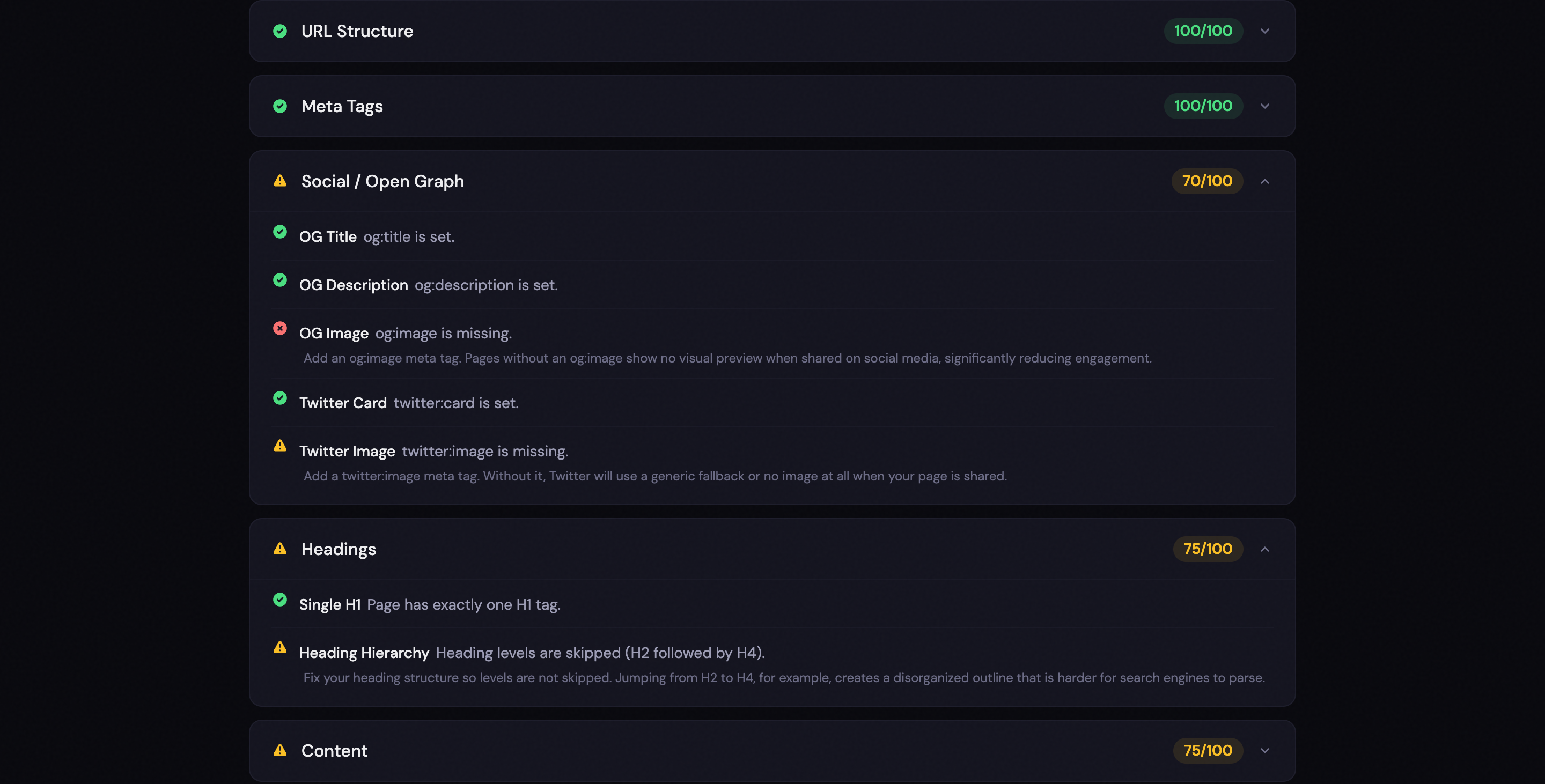
You paste a URL. It fetches the page, runs 27 checks across six categories, and gives you an overall letter grade from A+ to F. Each check is marked pass, warn, or fail, with a plain-English explanation of what the specific problem is and what to do about it.
The six categories are:
- URL Structure – slug length, stop words, keyword presence, depth from root
- Meta Tags – title, description, robots, canonical, all checked with character counts
- Social / Open Graph – OG tags, Twitter Card tags, image presence
- Headings – H1 count, heading hierarchy, whether H1 exists at all
- Content – word count, image alt text, internal link count
- Technical – HTTPS, viewport meta, page speed basics
When you’re done, there’s a Copy Report button that exports everything as plain text. Useful for sending notes to a developer, dropping into a client audit doc, or just keeping a record before you start making changes.
Read more about the SEO URL Analyzer →
No account required. No install. Just paste a URL and see what’s broken.
One More Thing Worth Knowing
SEO audits aren’t a one-time task. Pages drift. Plugins update and overwrite your canonical tags. Themes add H1s in unexpected places. A migration adds www.example.com and example.com as two different versions of the same URL without redirects.
Spot-checking a page before you publish is good. Re-checking it a few months later, especially if it stopped performing, is better.